
Hypervue for unreal
documentation & guide
visual guides
You will see 4 Visual Guides, each with its own color, at various distances from the camera rig’s facing direction. These are there to show you where to keep visual elements so they work best on glasses-free 3D displays.
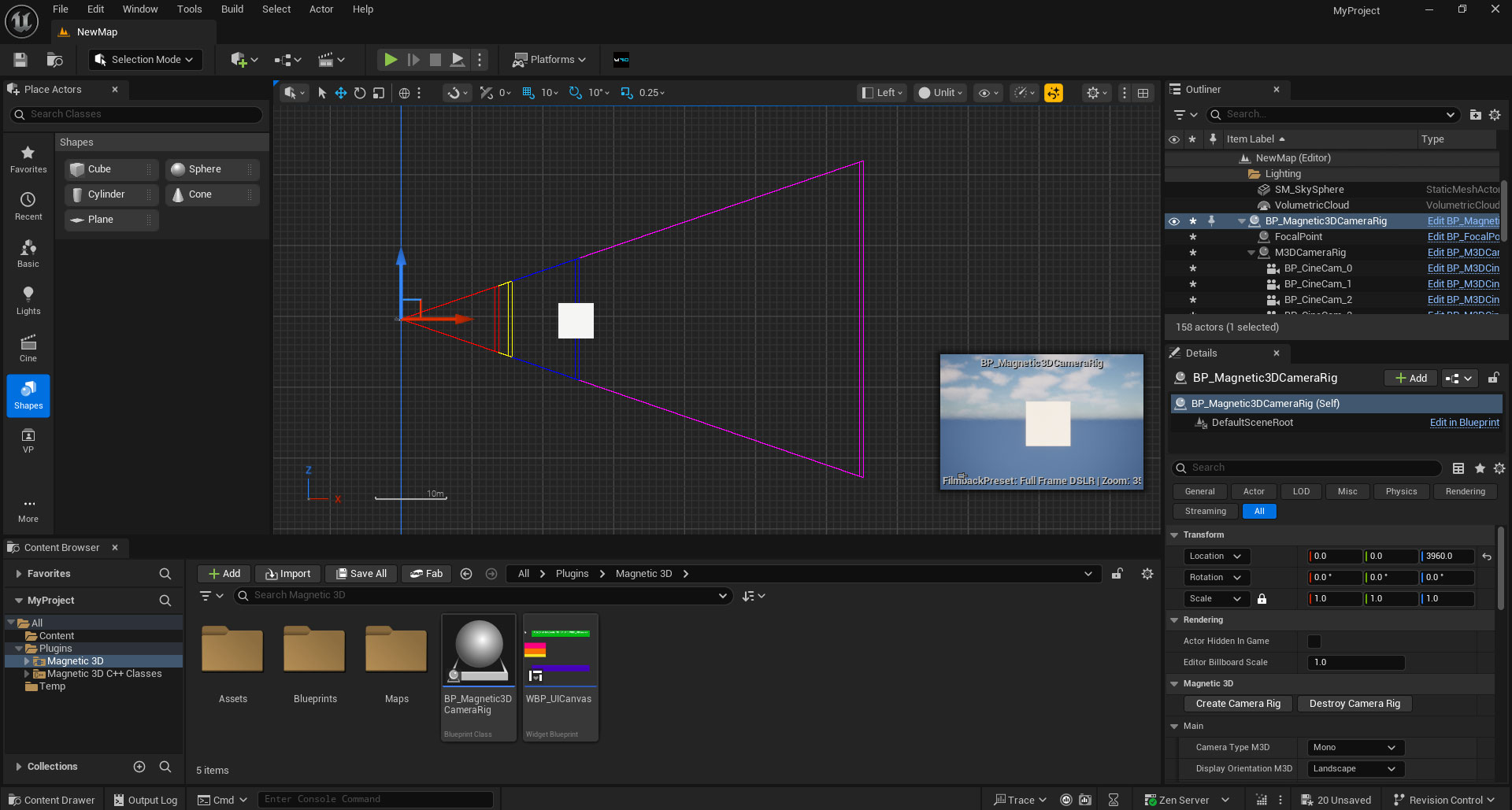
1. Magenta Guide (Depth Limit)
The Magenta Guide is the farthest limit that visible objects can be before the 3D effect starts to become blurry / doubled. Keep anything visible from the camera in front of this guide.
*At Interocular Distances of 5.0 or less, objects can be infinitely far and you can ignore the Magenta Guide.
2. Blue Guide (2D Focal Point)
The Blue Guide is where negative and positive parallax switch. So objects in front of this guide will appear to pop out of the 3D display, and objects behind this guide will appear to recede into the 3D display. Anything at the exact position of this guide will appear 2D, or at the plane of the physical display.
3. Yellow Guide (Pop Limit)
The Yellow Guide is the closest limit that visible objects can be before the 3D effect starts to become blurry / doubled. Keep anything visible from the camera behind this guide.
4. Red Guide (Pop Threshold)
The Red Guide is a extra threshold for objects to pop even further out of the 3D display, but objects should only cross over the Yellow Guide for short amounts of time. In general, you can ignore this guide for most projects.