
Hypervue for unity
documentation & guide
m3d mouse
1. Find M3D Mouse Object
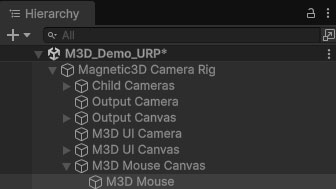
Expand the Magnetic3D Camera Rig prefab to find the M3D Mouse Canvas child object. Expand that to find the M3D Mouse object.
2. Use Case
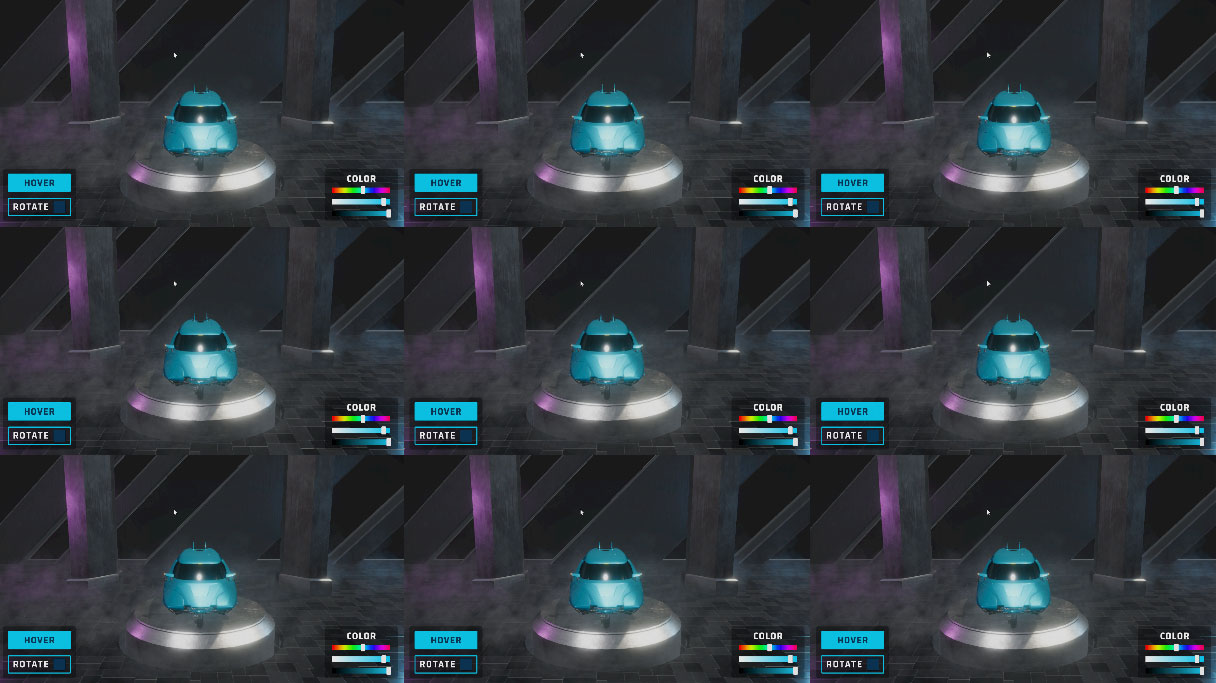
The M3D Mouse can be used to interact with all Canvas UI objects. It will transfer to every view in whatever Camera Type and Display Orientation you are using.
3. Enable Mouse
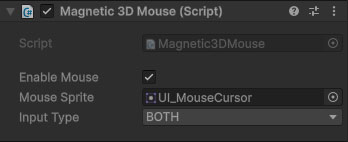
Keep this box checked if you wish to utilize the 3D Mouse. If not, then toggle it off to hide it.
4. Mouse Sprite
Changes the graphic of the M3D Mouse to any sprite.
5. Input Type
Keep this set to BOTH for most use cases.